Try it free for 30 days

Call the parts.
The tracks follow.

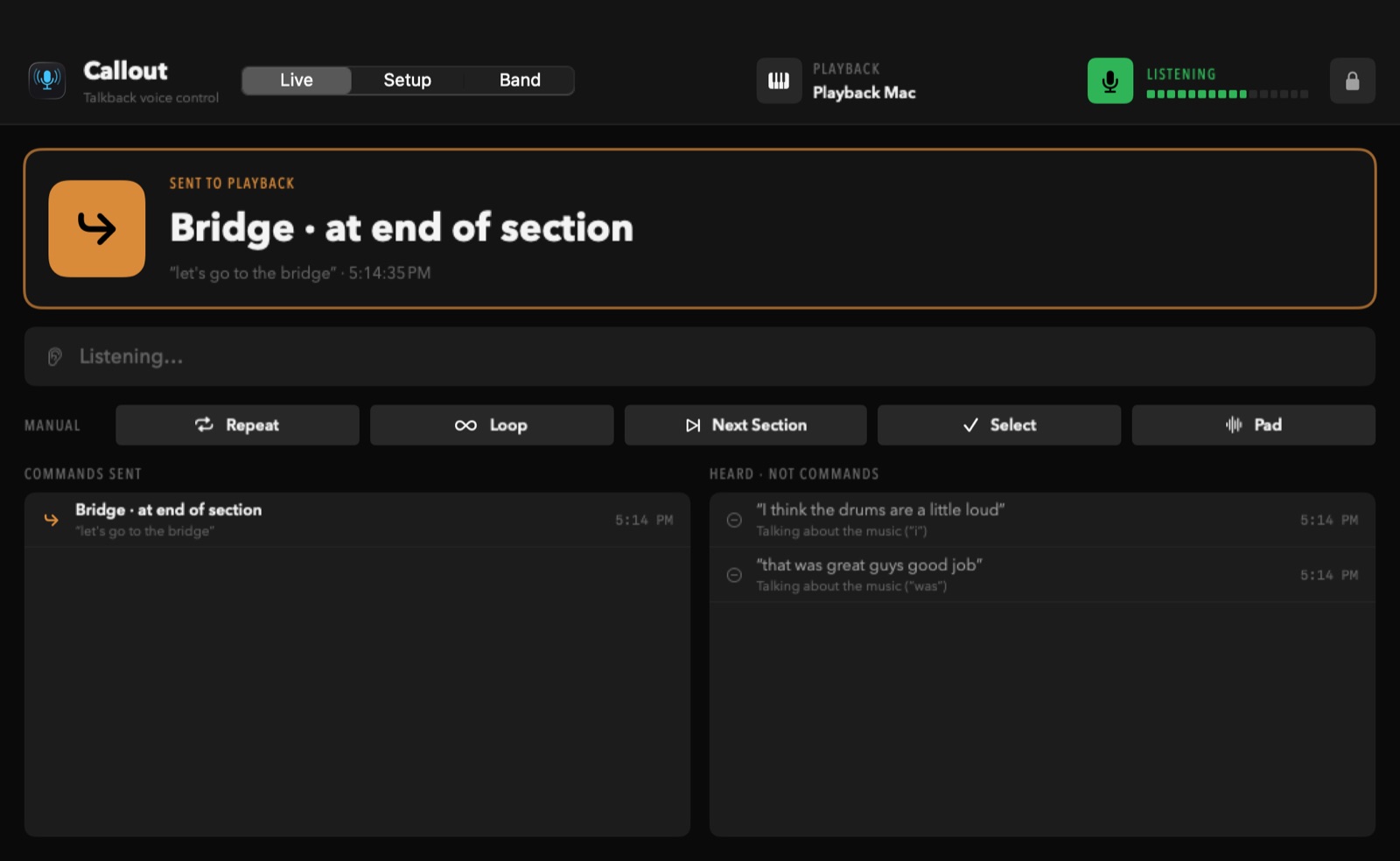
Say “go to the bridge” into your talkback mic and MultiTracks Playback jumps there. No hands off your instrument, no one stuck at the laptop.

30-day free trial · macOS 14 or newer · Apple silicon and Intel
The band page on a phone
Talk like you already do

Say it the way you'd say it to the band.

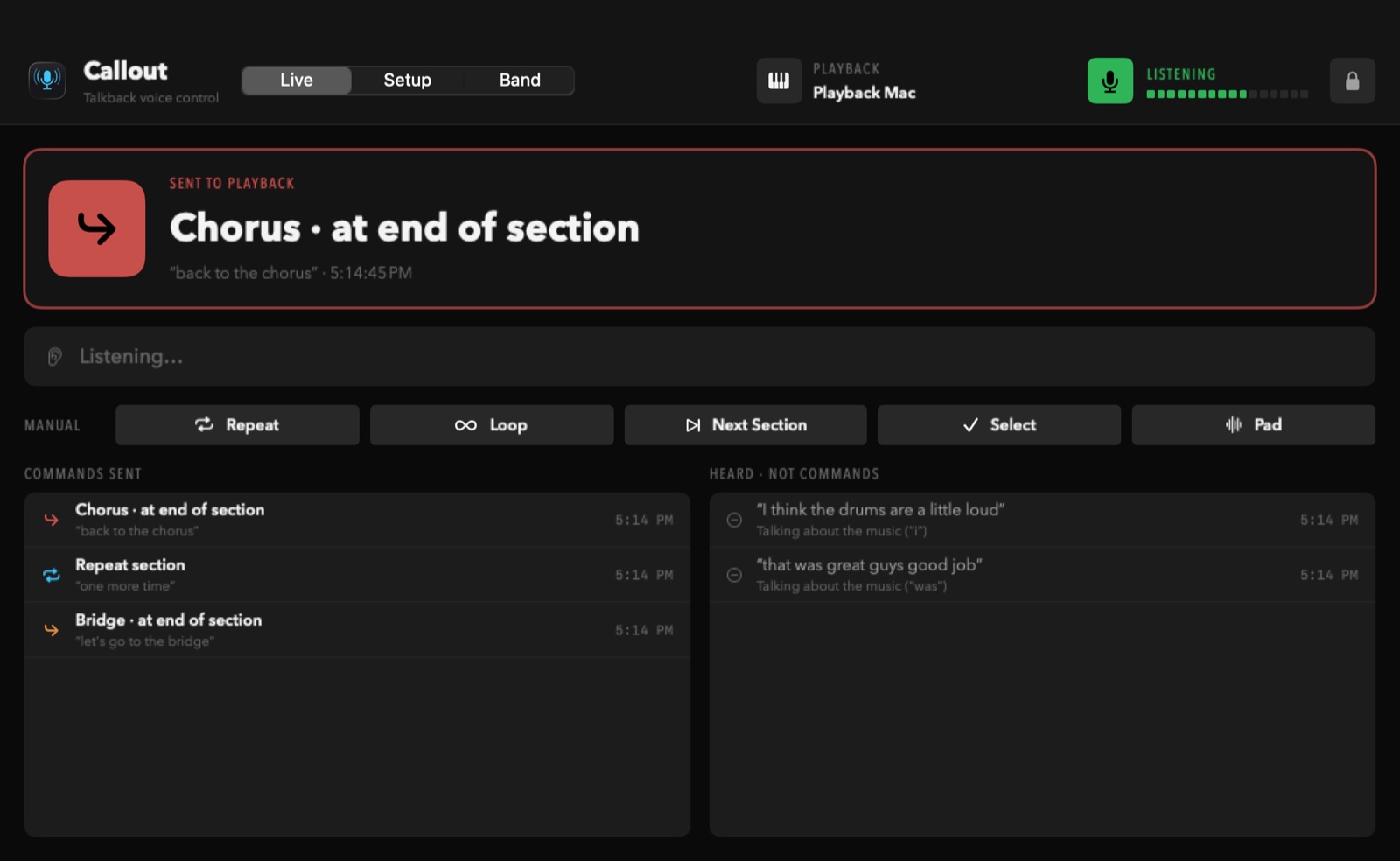
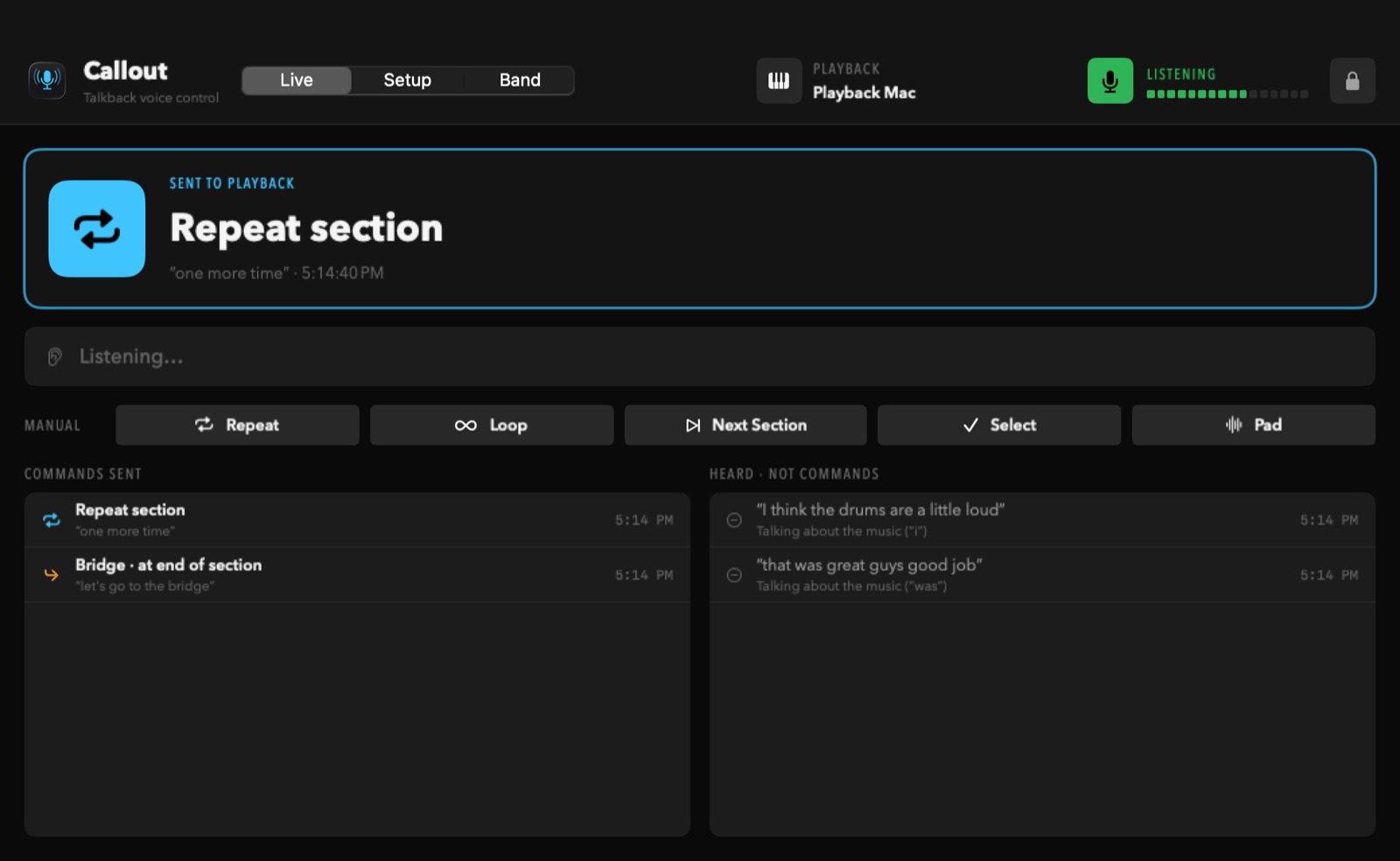
Callout listens for short, direct instructions on the talkback mic and sends the right command to Playback, timed to the end of the section like you'd expect.

Let's go to the bridgeJumps to the Bridge
Back to the chorusJumps to the Chorus
One more timeRepeats this section
Keep loopingLoops until you say “stop looping”
Skip the next sectionLeaves out what's coming up
Wait, actually the second verseChanges its mind with you
Take us to the tagJumps to the Tag
Never mind, keep goingCancels what was called

● Acts on

  • “Okay guys, let's go to the bridge”
  • “Chorus again”
  • “Let's do that one more time”

● Ignores

  • “The chorus was a little fast”
  • “Don't go to the bridge yet”
  • Lyrics like “take me back to the start”
How it works

Three pieces you already have.

Your talkback mic

Plug it into the Mac running Callout. A mic close to the leader works best.

Callout hears a command

Speech is recognized on the Mac itself. Band talk, questions and lyrics are left alone.

Playback follows

Callout sends the MIDI note Playback was taught, over network MIDI, using Playback's own MIDI mapping.

The band page

Everyone on the same page. Literally.

Band members scan a QR code and sign in with their own 4-digit code. No app to install.

  • See what's been called, and whether the song is looping, on any phone or iPad.
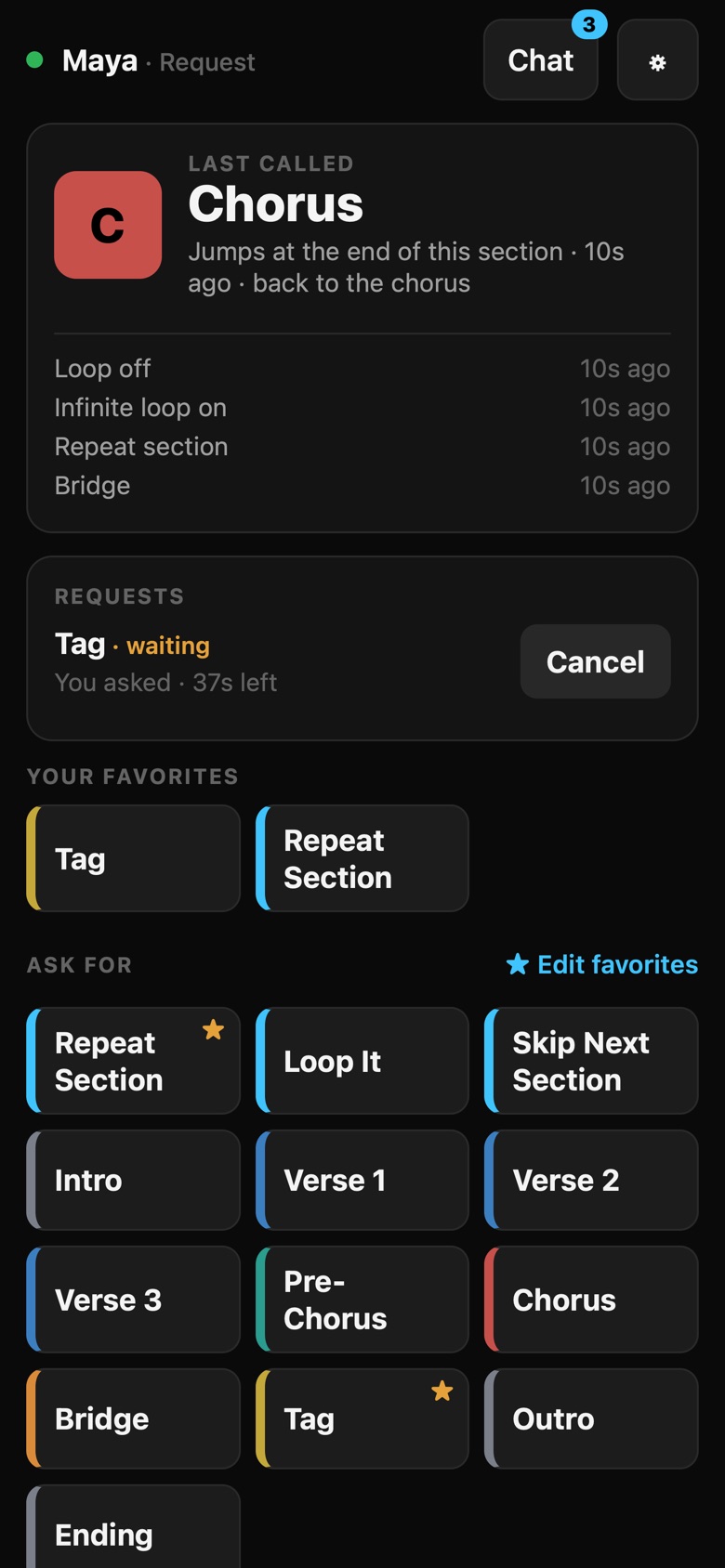
  • Ask for a part. The drummer taps “Tag”; the leader approves it, or trusted people send it straight to Playback.
  • Three roles: View Only, Request, and Administrator.
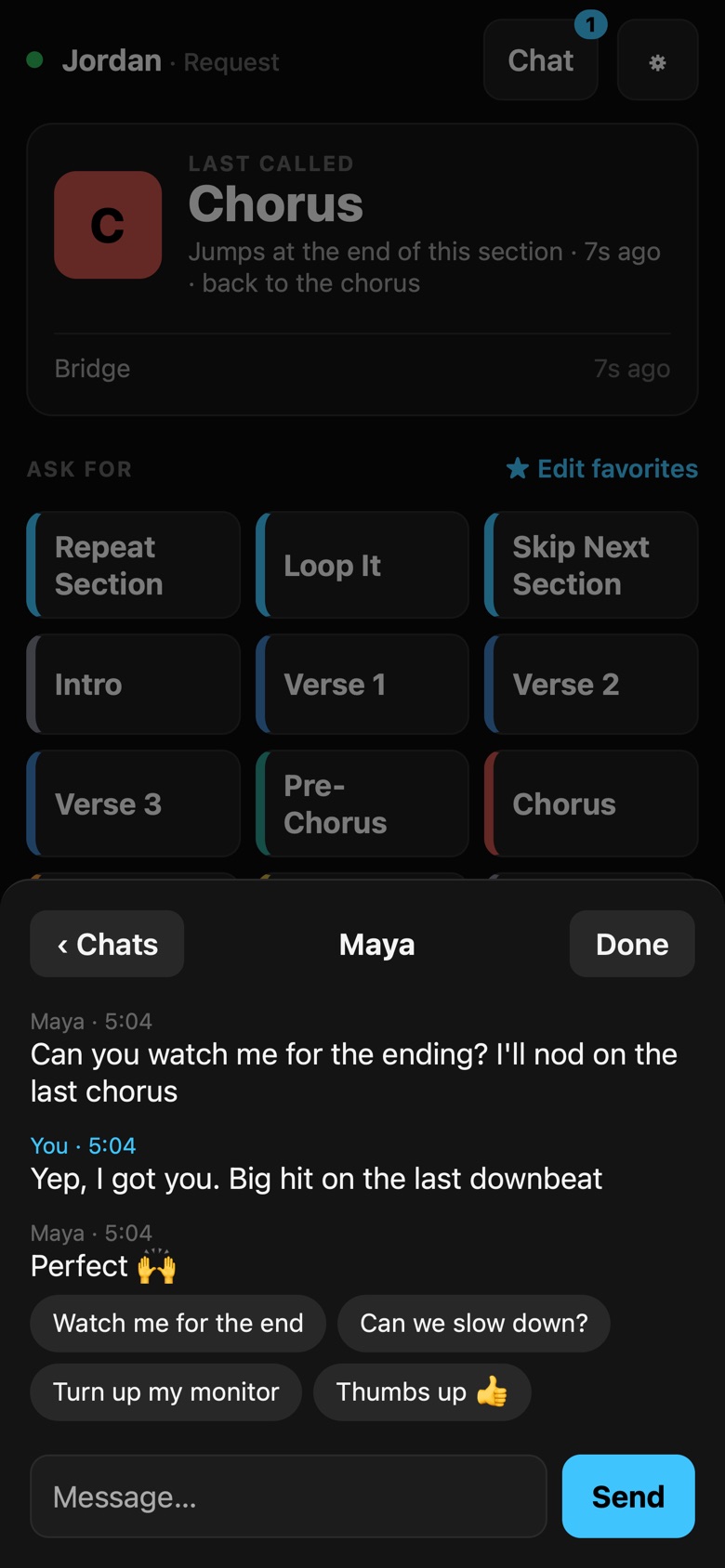
  • Private and group chats, plus a whole-band chat with quick replies like “Turn up my monitor”.
  • Their own settings: big text, a light or high-contrast screen, and favorite buttons, saved to their code.
Approve with your voice: when Maya asks for the tag, just say “Let's roll with Maya”.
Maya's phone: the last call was Chorus, and her request for the Tag is waiting
A private chat between Maya and Jordan on the band page
Run the room

Built for a Sunday.

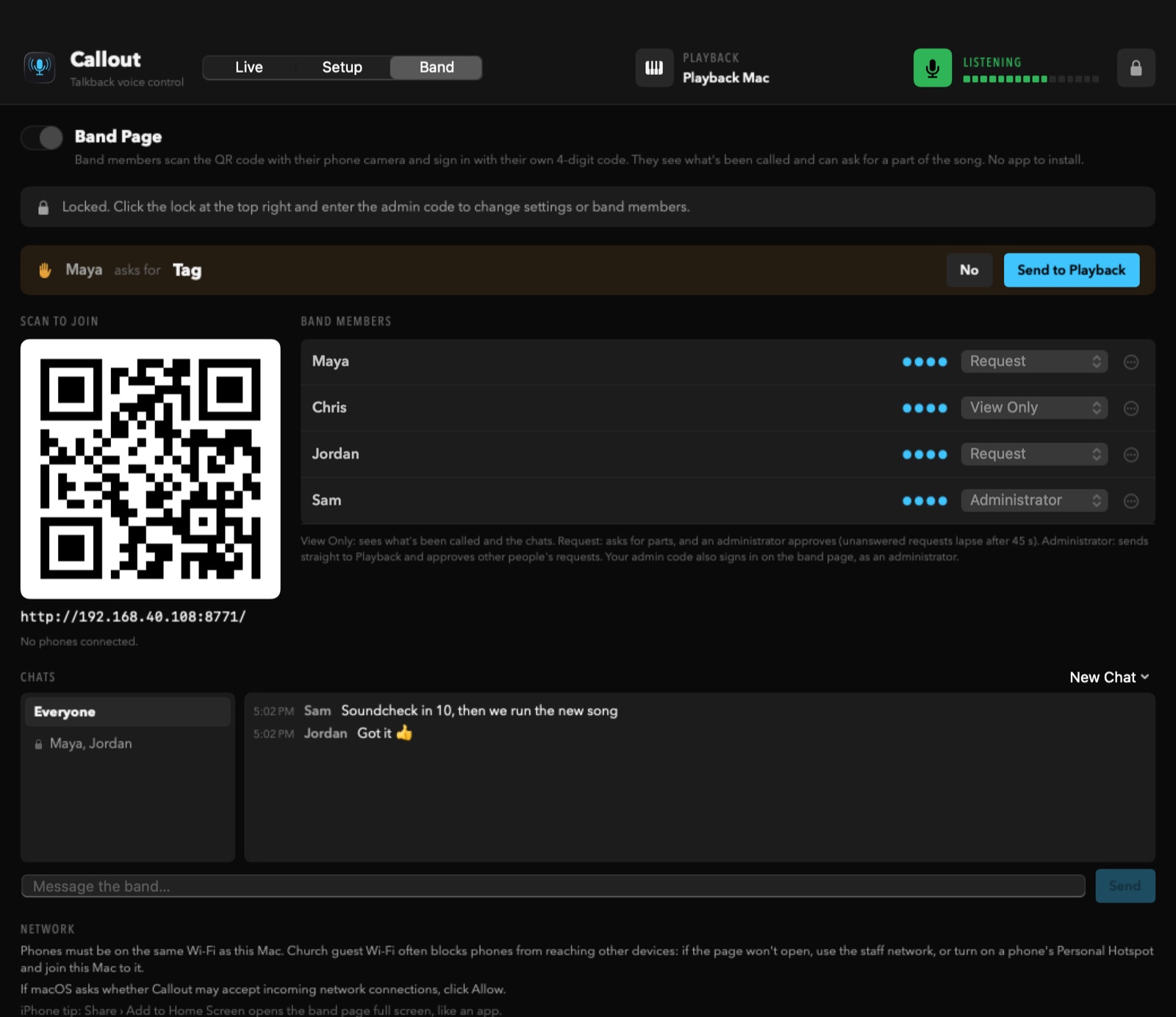
  • Requests show up on the Mac with one click to send them to Playback.
  • An admin code locks settings and band members, so nothing changes by accident.
  • Keeps the Mac awake through the whole service, and keeps trying until the mic is plugged in.
  • Updates itself, but only when you say so. Never in the middle of a song.
Callout's Band tab: a request from Maya waiting, the QR code, band members with their roles, and the chats
Setup

What you need.

A MacmacOS 14 or newer. Apple silicon or Intel.
MultiTracks PlaybackUsing its MIDI mapping, on a Mac on the same network.
A talkback micInto the Mac running Callout, through any audio interface.
One networkFor network MIDI to Playback, and for phones on the band page.

Installing.

  1. Download Callout and open the file. Drag Callout onto Applications.
  2. Open it. The first time, macOS says it can't check the developer, because Callout isn't sold through Apple's App Store. Open System Settings › Privacy & Security, scroll down, and click Open Anyway. Once per Mac.
  3. Click Start 30-Day Free Trial (or enter your code, if you have one), and choose your church's admin code.
  4. Follow the welcome guide. It walks you through connecting to Playback over network MIDI and teaching Playback Callout's notes (Edit › MIDI Mapping).
Questions

FAQ

How does the trial work?

Everything works free for 30 days, with no account and no payment details. After that, Callout asks for an unlock code to keep going, and once it's entered it's unlocked for good on that Mac. Reinstalling Callout doesn't restart the trial, and it never locks in the middle of a service: if the 30 days run out while it's in use, it waits until afterward.

Is it made by MultiTracks?

No. Callout works with MultiTracks Playback through Playback's own MIDI mapping, but it isn't made by, endorsed by, or affiliated with MultiTracks.com. You need your own copy of Playback and your own song licenses; Callout never touches your tracks or your account.

What if it mishears something?

Callout only acts on short, direct instructions and ignores anything with a “not”, questions, and talk about the music. Every command shows on screen with the words it heard, and “never mind” cancels. It can still miss or mishear over very loud music, so always keep a way to run your tracks by hand.

Does it record us, or need the internet?

No recording, and no internet needed to run. Speech is recognized on the Mac itself on nearly every Mac with macOS 14 or newer. Callout only goes online to check this website for updates. See Privacy.

Can the leader see private chats?

Private and group chats are hidden from the rest of the band, but the Callout Mac (the leader's screen) can read every chat. The band page tells everyone that.

Will it update in the middle of a service?

Never. Callout tells you when a new version is ready and waits until you click Install. If it's in use, it only shows a small note to install after the service.

Does it work on Windows or iPad?

Callout itself runs on a Mac. The band page works on any phone, tablet or computer with a web browser.
Keep your hands on your instrument.

Try it free for 30 days. Set it up once, and call the song from wherever you're standing.

Download for Mac